
Getting started
Create your Kiosk shop
Sign up, name your business, verify your email, and set up the till — screenshots for every step of the journey.
On this page
Kiosk is built for shop counters in Kenya — one system for the till, your catalog, suppliers, staff, and a free online storefront that shares the same stock. Creating your shop takes about ten minutes: create the account, name the business, verify your email, answer six quick questions, and you can take your first sale the same day.
What you need before you start
- A business name — use the one customers already know; it appears on receipts and your online storefront.
- An email address you can check right now (verification is the one blocker).
- About ten minutes and any device — phone, tablet, or desktop.
- Nothing else. No merchant ID, no hardware, no installation.
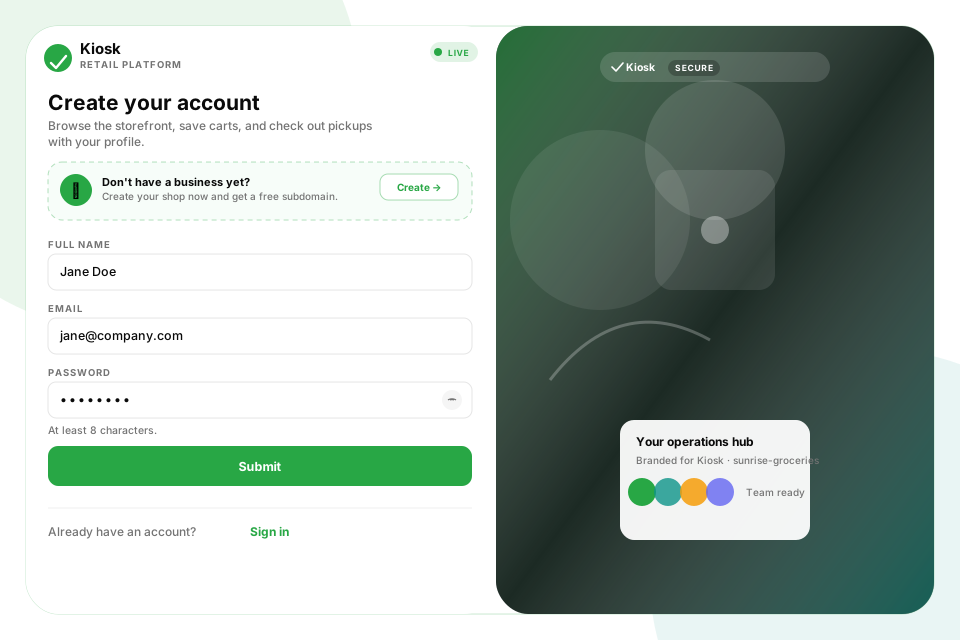
Step 1 — Create your account
- Step 01Open kiosk.ke and choose Get started (or visit the signup page directly).
- Step 02Enter your full name — this is the owner account.
- Step 03Add your email and a password of at least 8 characters.
- Step 04Tap Submit. You will verify the email in Step 3.
Step 2 — Name your business
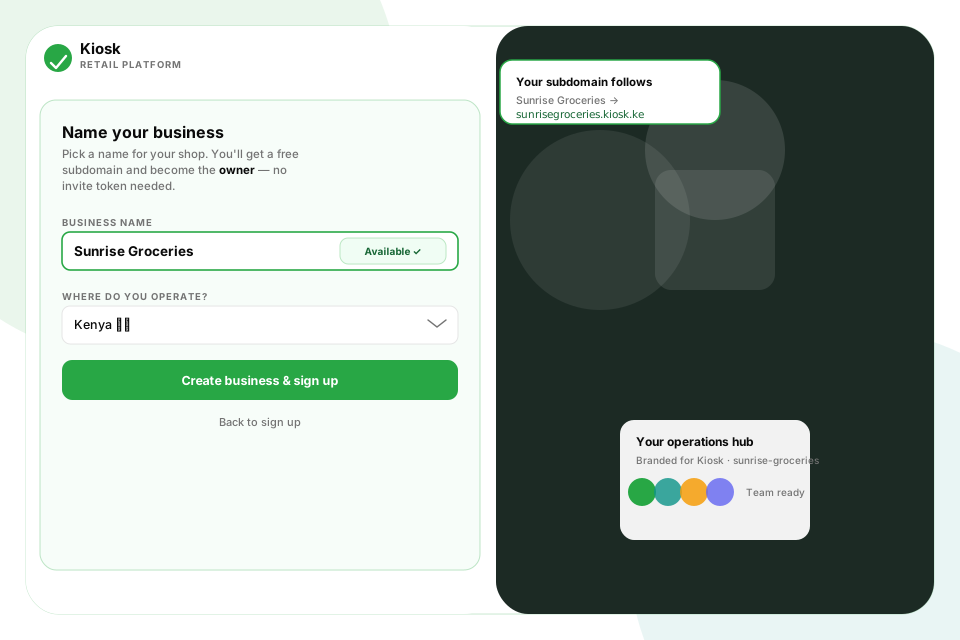
Back on the signup page, the Create your shop card asks for the business name and country. Your shop gets a free subdomain from the name, and you become the owner — no invite token needed.
- Step 01Tap Create your shop on the signup page.
- Step 02Enter the Business name exactly as customers know it (e.g. Sunrise Groceries).
- Step 03Choose where you operate — Kiosk uses the country for currency, phone formats, and region defaults.
- Step 04Tap Create business & sign up.
Step 3 — Verify your email
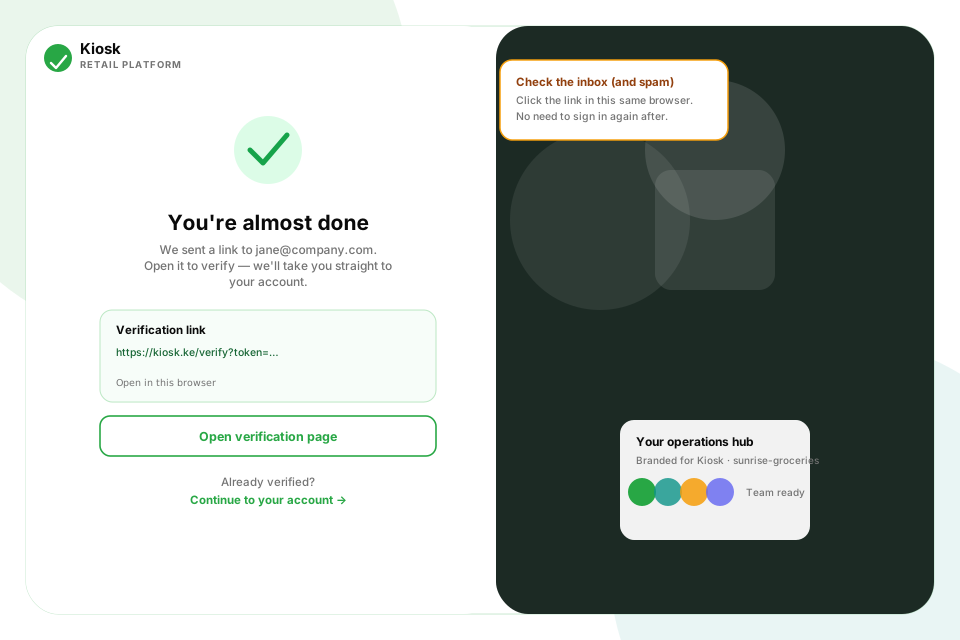
- Step 01Watch for an email from Kiosk — check the spam or promotions folder if nothing arrives in a minute.
- Step 02Open the verification link in the same browser you signed up in. No need to sign in again.
- Step 03You land straight in your dashboard, where the short setup questionnaire waits.
Step 4 — Tell us about your shop
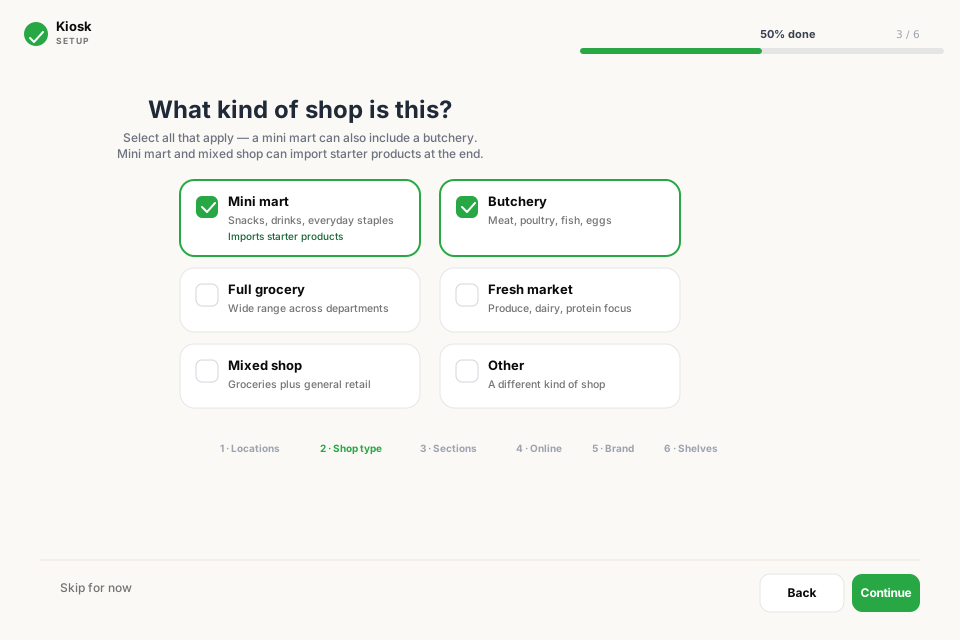
A six-question setup walks you through the decisions that shape your workspace. Answer honestly — everything is editable later, and the answers pre-fill your departments, storefront, and branding.
- Locations — how many branches you run and what you call each one.
- Shop type — mini mart, butchery, full grocery, fresh market, mixed shop, and more (pick all that apply).
- Product sections — the departments you sell now; suggested automatically from your shop types.
- Online store — turn on yourshop.kiosk.ke now, or stay in-store only and enable it later.
- Branding — your display name and colours; the logo is optional.
- Stock your shelves — import starter products from the shared catalog, or add products manually.
Step 5 — Land in your dashboard
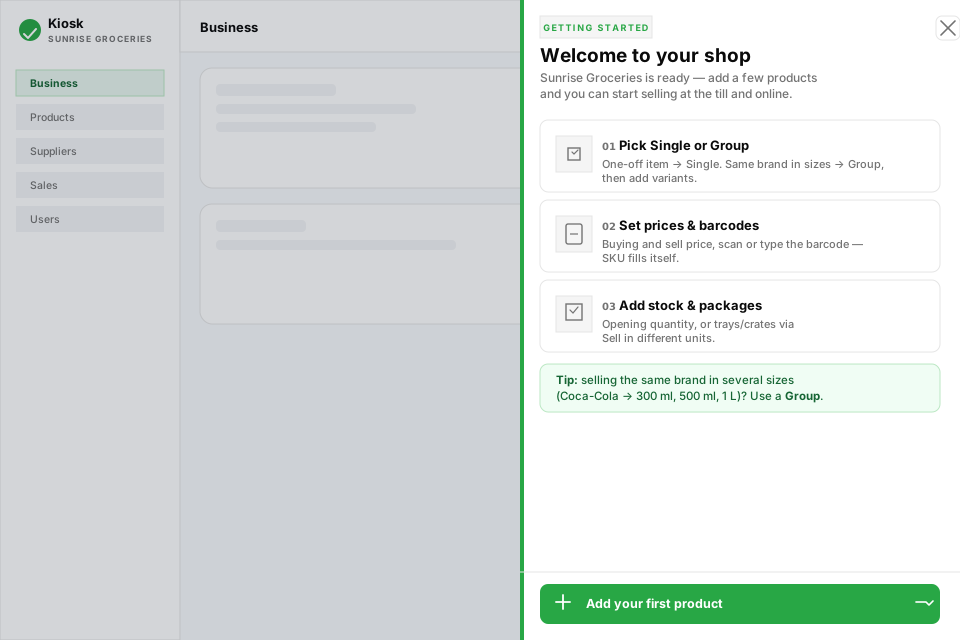
Setup ends in your dashboard, where a welcome drawer shows the fastest path to your first sale: add products (or import a starter pack), then open the cashier.
- Step 01Tap Add your first product — the create drawer opens ready for a name and price.
- Step 02Or import common products from the shared catalog in the final setup step.
- Step 03Open Cashier and take a test sale — cash or M-Pesa STK.
- Step 04Invite your first staff member from Users so the till is ready for the team.
Where to go next
- Get the most out of KioskThe master guide — daily rhythm and every deeper guide linked from one page.
- Add products the right waySingle, groups, variants, and packages — with screenshots.
- Claim your subdomainChoose and reserve the perfect yourshop.kiosk.ke address.
- User roles & how to add usersInvite staff, pick roles, assign branches and PINs.
- Open the cashier for the first timeLaunch the till and take your first sale.
Frequently asked
Is Kiosk free to start?
Do I need a custom domain on day one?
What device do I need?
Can I change the business name or country later?
What if the verification email never arrives?
Can I run more than one shop?
Do I need a printer or scanner to start?
Related articles
- Why Kiosk stands out from other POSBuilt for Kenyan counters: M-Pesa STK, offline sales, one stock count for till and storefront — without bolt-on modules.
- Claim your subdomainPick a unique yourshop.kiosk.ke address for your branded storefront.
- Invite your first staff memberGet a cashier onto the till quickly without sharing the owner password.
- Get the most out of KioskThe master guide: one catalog, one till, one storefront. Follow the daily rhythm, then jump into every deeper guide from here.
- Add products: single, groups, and packagesAdd standalone items, group brands into variants, and sell trays and crates — with screenshots for every step.
Still stuck setting up?
Send a message with your business name and subdomain — we will help you get the till selling.